Built-in Formatting Prompts in NOVA: Clean Text Without Thinking About Prompts
When people hear “AI formatting,” they usually imagine prompts, instructions, tweaking wording, trying again.
NOVA takes a different approach.
Instead of asking you to figure out how to ask, NOVA ships with a set of default formatting prompts that work out of the box — invisibly, instantly, and predictably.
You speak or paste text.
You choose the result.
NOVA handles the rest.
Why Default Prompts Matter
In real work, formatting is not a creative task.
It’s a maintenance task.
You already know what you want:
- fix mistakes
- make it sound professional
- turn speech into structured text
- shorten, clarify, summarize
The friction comes from having to explain that every single time.
Default prompts remove that friction.
What NOVA Includes by Default
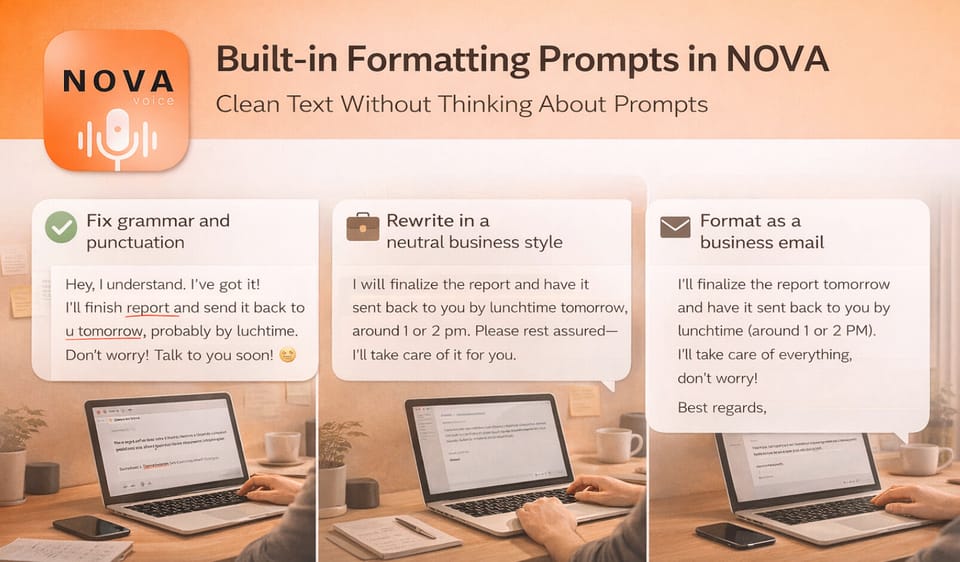
NOVA comes with several built-in formatting modes designed for everyday work scenarios.
You don’t see long prompt texts.
You see clear intentions.
Examples of what these modes do:
- Fix grammar and punctuation
Cleans errors while preserving your original tone, language, and style exactly as they are. - Rewrite in a neutral business style
Makes messages sound professional without changing meaning or adding information. - Format as a business email
Turns raw text or speech into a clean email body, ready to send. - Structure raw or dictated text
Converts messy notes or spoken thoughts into readable, organized writing. - Make text clearer and shorter
Removes unnecessary words while keeping the original meaning intact. - Ultra-short summary (under 100 characters)
Useful for titles, previews, task names, or quick notes. - Turn ideas into precise AI prompts
Converts vague thoughts into detailed prompts for text, code, or image generation.
Each mode does one thing well.
No surprises. No creative drift.
How It Feels in Practice
You don’t think in prompts.
You think:
- “Clean this.”
- “Make this business-ready.”
- “Structure this.”
- “Shorten this.”
In NOVA, that’s a single action:
- press the hotkey
- pick a formatting mode
- keep working
No switching to another app.
No rewriting instructions.
No trial and error.
Customizable, But Optional
Advanced users can:
- tweak prompts
- add their own styles
- create app-specific rules
But the default set is designed to be good enough for daily work from day one.
You don’t need to become a prompt engineer to get clean text.
The Core Idea
Formatting is not creativity.
It’s infrastructure.
NOVA treats it that way:
- predefined
- predictable
- fast
So your attention stays on what you’re actually trying to say — not on how to ask an AI to say it for you.

Comments ()