NOVA: A Voice Assistant That Lives Inside Your Computer
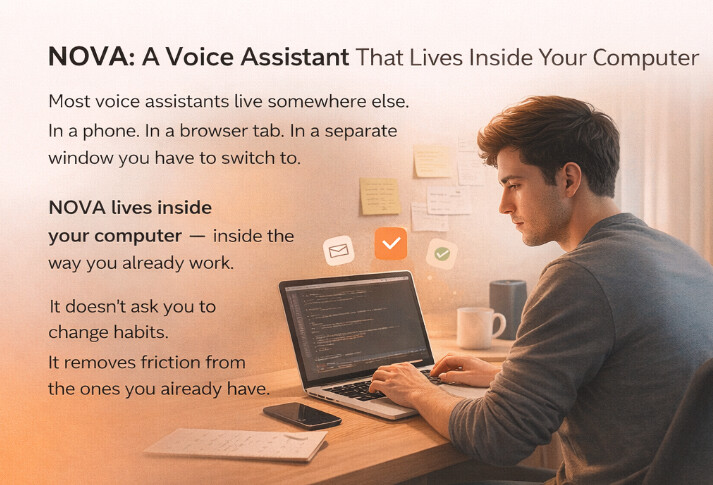
Most voice assistants live somewhere else.
In a phone. In a browser tab. In a separate window you have to switch to.
NOVA lives inside your computer — inside the way you already work.
It doesn’t ask you to change habits.
It removes friction from the ones you already have.
The Problem: Work Is Still Keyboard-First
Modern work is fast, but input is slow.
You:
- type emails, messages, documents
- constantly switch between apps
- interrupt your flow to “just quickly” rephrase, format, translate, or ask AI for help
Even experienced users type 40–90 words per minute.
Most people speak 180–200+ words per minute.
The gap is obvious. The tools aren’t.
What NOVA Does Differently
NOVA is a voice assistant inside your desktop, available on any screen, in any app, at any moment.
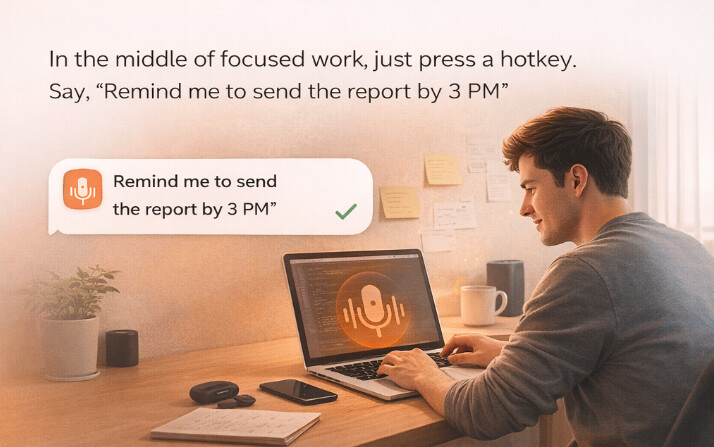
You press a hotkey.
You speak.
Work continues.
No context switching. No extra windows.
1. Speak Anywhere You Can Type
If a text field exists — NOVA works there.
- Any app
- Any website
- Any input field
Just talk, NOVA handles the rest
Not raw dictation, but clean, accurate text — faster than typing and more reliable than built-in voice tools.
2. Speak Naturally. Get Clean, Structured Text.
People don’t talk like they write.
You hesitate.
You repeat yourself.
You say “uh”, “well”, “by the way”.
NOVA handles that.
Think of how Winston Churchill dictated to a stenographer — messy speech in, perfect text out.
- Emails become properly formatted emails
- Notes in Notion get clean Markdown
- “Firstly, secondly” turns into real lists
- Spoken filler never reaches the final text
You speak like a human.
The output looks like it was carefully written.
You can also:
- choose writing styles from a popup menu
- apply your own tone once and reuse it
- switch formatting rules per app at any moment
No more copying text into ChatGPT just to ask:
“Can you make this sound more professional?”
3. Do Things in Other Apps Without Leaving Your Screen
NOVA doesn’t just write. It prepares actions for you.
Without switching windows, you can say:
- “Send this to Masha by email”
- “Ask him what he meant”
- “Open the project folder”
- “Write a message in Telegram”
The right app opens.
The text is already there.
You just confirm.
For macOS users, NOVA can also interact with the operating system itself — opening apps, folders, and handling routine navigation.
4. AI Help, Anywhere, Without Context Switching
Sometimes you don’t want to write. You want to think.
NOVA works as a voice AI assistant on any screen:
- translate selected text
- ask questions about a highlighted paragraph
- get explanations or summaries
- ask anything — without leaving your current app
You speak. You get an answer.
Your focus stays where it was.
Why This Matters
NOVA isn’t trying to replace your tools.
It removes the invisible tax:
- switching windows
- breaking concentration
- redoing the same small actions every day
Over time, that friction adds up.
NOVA gives you back:
- speed
- flow
- mental bandwidth
Not by being louder.
By being exactly where you already are.
Early Release & Feedback
This is the first release of NOVA.
We’re actively looking for:
- bugs and rough edges
- feature requests
- real user workflows
- honest feedback
If NOVA fits into your daily routine — great.
If it doesn’t — that’s just as valuable.
We believe a personal assistant living inside your computer can become a daily tool, not a novelty.
Help us prove — or disprove — that belief.

Comments ()