NOVA v1.8.15 → v1.8.21: clearer, more welcoming, more reliable
These releases are not about adding more buttons or complexity.
They’re about making NOVA easier to understand, easier to start with, and more predictable in daily use — especially for new users and non-English speakers.
Here’s what changed, in plain terms.
Clearer language across the app
NOVA now speaks more clearly — literally.
We updated localization for:
- prompts and formatters
- dictation and assistant features
- dictionary descriptions and examples
English, Spanish, and Russian now feel more consistent and easier to follow.
Less ambiguity, fewer “what does this mean?” moments.
A smoother onboarding experience
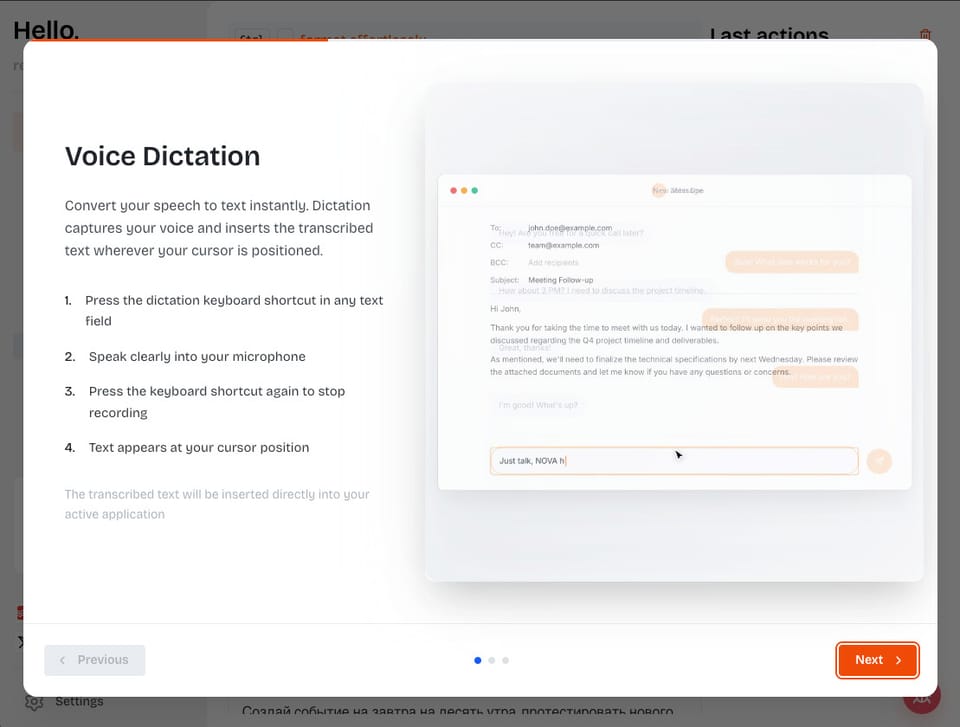
Getting started with NOVA is now much simpler.
We improved onboarding with:
- a new guided modal
- short video explanations
- clearer step descriptions
- localized onboarding text
- custom popover styles that are easier to read
The goal is simple: understand what NOVA can do in minutes, not hours.
Better guidance for advanced features
Some features are powerful but easy to miss.
Onboarding now includes:
- guidance for Fast MCP Providers
- clearer explanations of when and why to use them
You don’t need to guess what something is for — NOVA explains it when it matters.
Smarter dictation behavior
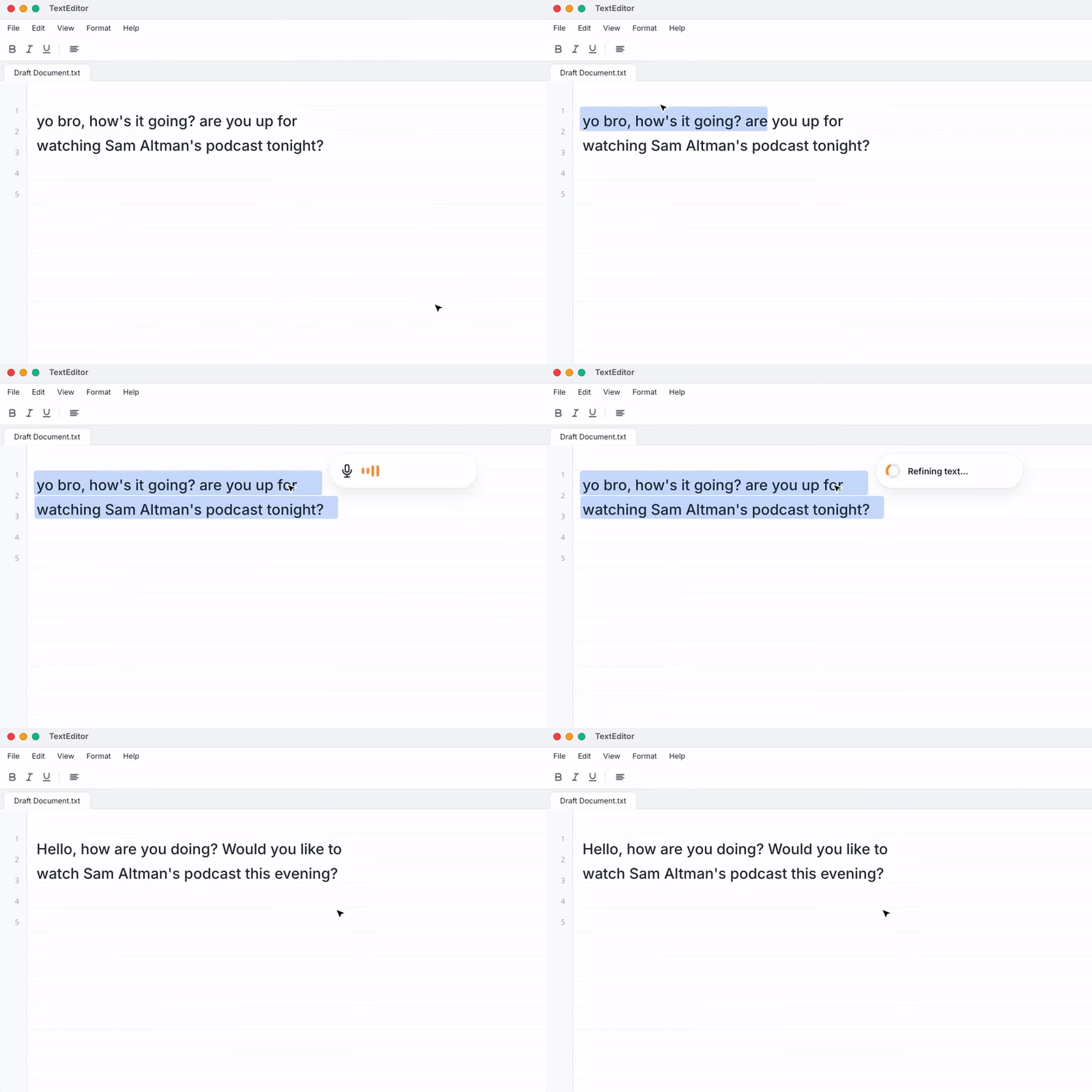
Dictation is now more context-aware.
Recent updates added:
- enhanced dictation prompts
- conditional transcription logic
- better handling of different speaking styles
The result: cleaner text with less manual correction, especially in longer or more complex dictation.
More control, fewer interruptions
We added:
- better capture window handling
- more reliable stop-recording behavior
- improved formatting instructions, especially for code
Small things, but they remove friction when you use NOVA for hours at a time.
System-level stability improvements
Under the hood:
- the app is now notarized
- deep links work better on Linux
- pricing and links are up to date
Nothing flashy — just fewer surprises.
The direction
From v1.8.15 to v1.8.21, the theme is consistent:
- clearer wording
- better first impressions
- smarter defaults
- fewer moments of confusion
NOVA is becoming easier to trust — and easier to live with.
That’s exactly where we want it to go.

Comments ()